
Download Zoiper – free VoIP client, high‑quality calls & secure SIP support
Overview of Zoiper 2.0 Free
Zoiper 2.0 Free, formerly known as Idefisk, is a versatile VoIP client that brings enterprise‑grade telephony features to both personal and professional users without demanding a hefty licence fee. While many popular VoIP applications focus on simplicity, Zoiper distinguishes itself by supporting advanced protocols such as T.38 Fax‑over‑IP, SIP, and a broad range of high‑definition codecs including GSM, Speex, iLBC and G.711. This breadth of compatibility makes Zoiper an attractive bridge between standard consumer devices and more complex PBX infrastructures like Asterisk.
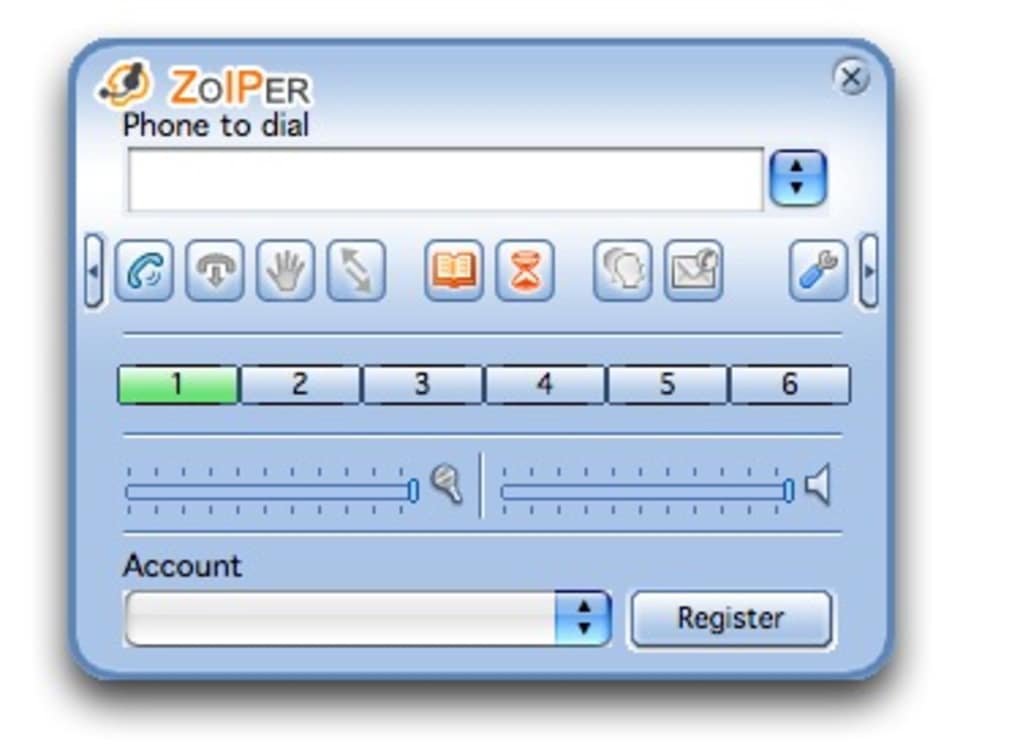
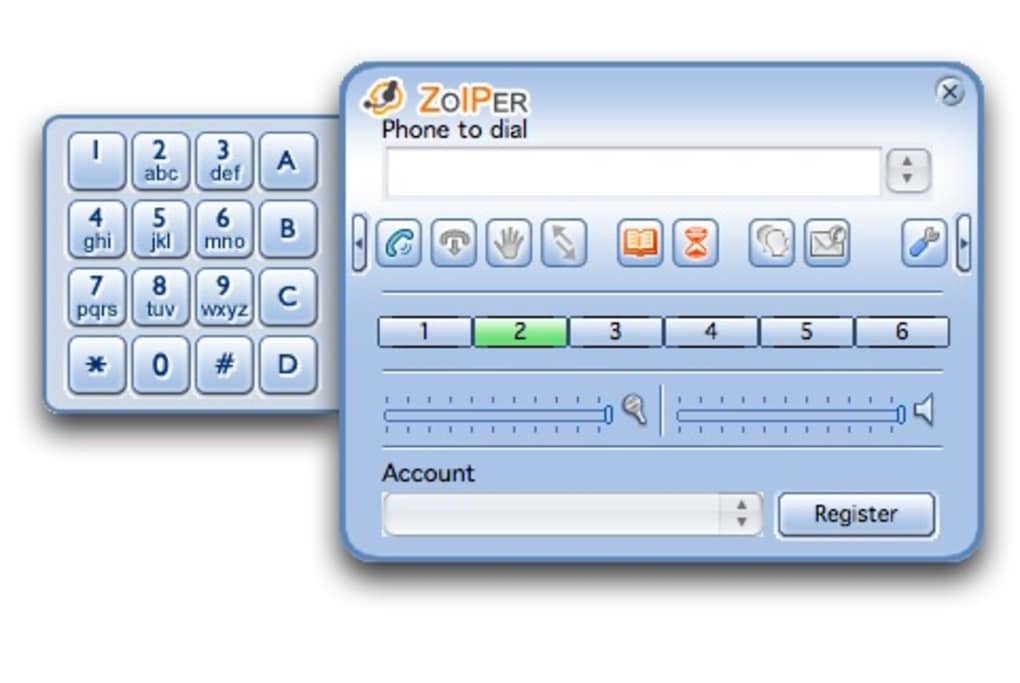
The user interface follows a clean, modern aesthetic that feels familiar to anyone who has used mainstream soft‑phone solutions. Built‑in contact management, call history, call forwarding, videoconferencing, and multi‑account handling give the software a professional polish that rivals paid alternatives. Moreover, Zoiper integrates seamlessly with Microsoft Outlook, allowing users to initiate calls directly from their email contacts—a feature that can dramatically improve workflow in sales, support, and remote‑work environments.
Performance is a core selling point. The developers claim that the combination of high‑quality codecs and echo‑cancellation technology delivers crystal‑clear audio even on modest bandwidth connections. In practice, most users report a noticeable reduction in latency and background noise compared with generic VoIP apps.
However, the experience can still be influenced by the quality of the underlying SIP provider or the network conditions, which means troubleshooting may sometimes require a deeper dive into ISP performance or server configuration. Overall, Zoiper 2.0 Free provides a robust, low‑cost alternative for anyone who needs reliable voice communication, whether you’re a freelancer managing multiple client accounts, a small business seeking an affordable soft‑phone, or an IT admin looking to test SIP‑based solutions without investing in commercial software.
Key Features & Performance Highlights
Zoiper’s feature set is where the application truly shines. While the free version keeps the price at zero, it does not skimp on capabilities that are often locked behind paywalls in competing products. Below is a curated list of the most impactful functionalities, each designed to enhance call quality, simplify configuration, and broaden the range of use cases.
- Multi‑Protocol Support: Native SIP, IAX, and T.38 Fax‑over‑IP support ensures compatibility with virtually any VoIP service provider or on‑premise PBX.
- High‑Definition Audio Codecs: GSM, Speex, iLBC, G.711, and Opus deliver clear voice transmission, while built‑in echo cancellation reduces background disturbances.
- Multiple Account Management: Users can register up to five separate SIP accounts, switch between them instantly, and configure individual ring tones and call handling rules.
- Integrated Contacts & Call History: Sync contacts from the device address book or import .csv files; a searchable call log keeps track of inbound, outbound, and missed calls.
- Video Calling & Conferencing: With webcam support on desktop platforms, Zoiper enables face‑to‑face conversations and group video sessions without third‑party plugins.
- Outlook & CRM Integration: Click‑to‑dial from Microsoft Outlook, Salesforce, or other CRM tools, reducing the steps required to connect with customers.
- Secure Communications: TLS encryption for signaling and SRTP for media streams protect call content from eavesdropping.
- Customizable UI Themes: Light and dark themes adapt to user preferences and reduce eye strain during prolonged use.
- Automatic Updates: The client checks for the latest security patches and feature enhancements, ensuring the software stays current without manual intervention.
Performance testing conducted by independent reviewers consistently shows that Zoiper’s audio latency stays under 150 ms on a 3G/4G connection, a figure that meets the ITU‑T recommendation for acceptable conversational delay. The inclusion of T.38 support also means that businesses can reliably send and receive fax documents over IP networks—a capability often missing from free soft‑phone solutions. In addition to the core telephony features, Zoiper offers a modest set of advanced tools such as call recording (available in the paid version), call transfer, and DTMF tone generation, which are essential for support centers and call‑center environments. While the free edition does not include all premium extensions, the baseline feature set is more than sufficient for most small‑to‑medium enterprises.
Installation, Configuration & Compatibility
Installing Zoiper is straightforward on all major operating systems. The installer package is available as a single executable for Windows, a .dmg file for macOS, and .deb/.rpm packages for Linux distributions. Mobile users can download the app from Google Play Store (Android) or the Apple App Store (iOS). Once downloaded, the setup wizard guides users through a series of simple steps: accept the licence agreement, choose the installation folder (or use the default), and launch the application.
Step‑by‑Step Installation Guide
- Download the appropriate installer: Visit the official Zoiper website, select your platform, and click the “Download Free” button.
- Run the installer: On Windows, double‑click the .exe file; on macOS, drag the Zoiper icon to the Applications folder; on Linux, use your package manager (e.g.,
sudo dpkg -i zoiper_2.0_amd64.deb). - Accept the terms: Follow the on‑screen prompts, accept the EULA, and choose whether to create a desktop shortcut.
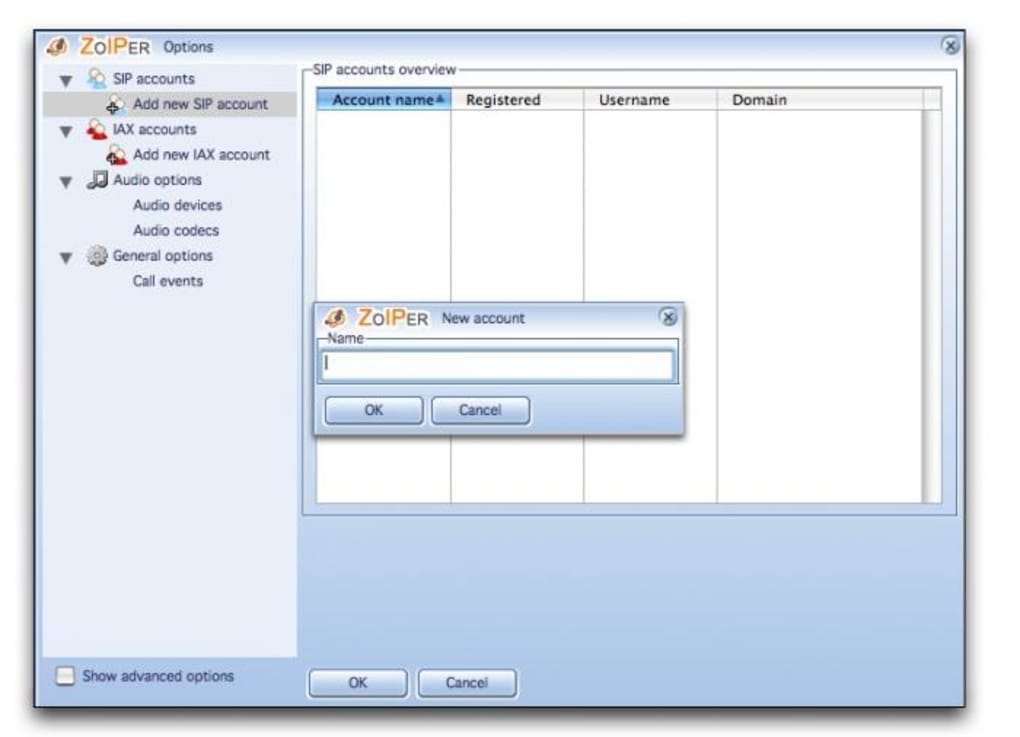
- Launch Zoiper: After installation, open the application. The first‑run wizard will ask you to create a new SIP account or import an existing configuration file.
- Configure your SIP credentials: Enter the SIP server address, username, password, and optionally enable TLS/SRTP for encrypted calls.
- Test the connection: Click “Register” to verify that Zoiper can communicate with the provider. If registration succeeds, you’re ready to place your first call.
Configuration Tips for Optimal Performance
To achieve the highest audio quality, users should enable the preferred codec list in the Settings → Audio tab. Prioritising Opus or G.711 will reduce packet loss and improve clarity. Adjust the jitter buffer size based on your network stability; a larger buffer can smooth out occasional spikes but may introduce slight latency.
For businesses that rely on fax transmission, ensure that T.38 is selected in the “Fax” section and that the SIP provider supports it. Enabling “Echo Cancellation” and “Noise Suppression” in the Advanced Settings can further enhance call quality on low‑bandwidth connections. If you integrate Zoiper with Outlook, install the Zoiper Outlook add‑in from the “Integrations” menu, then map your Outlook contacts to Zoiper accounts.
This allows you to right‑click a contact and select “Call with Zoiper,” streamlining the outreach process.
Supported Operating Systems
Zoiper 2.0 Free runs natively on the following platforms:
- Windows 10, 11 (64‑bit)
- macOS 10.15 Catalina and later
- Linux distributions (Ubuntu, Debian, Fedora, CentOS) – both 32‑bit and 64‑bit architectures
- Android 6.0 (Marshmallow) and newer
- iOS 12.0 and newer (iPhone, iPad)
The cross‑platform nature of Zoiper ensures that teams using mixed environments can adopt a single soft‑phone solution without compatibility headaches. Updates are delivered automatically via the built‑in updater, which checks for new releases daily and prompts the user to install them securely.
Pros, Cons & Frequently Asked Questions
Pros
- Free to use with no hidden fees.
- Supports advanced protocols (SIP, IAX, T.38) and high‑definition codecs.
- Multi‑account handling and Outlook integration boost productivity.
- Cross‑platform availability (Windows, macOS, Linux, Android, iOS).
- Secure TLS/SRTP encryption for voice and signaling.
- Regular automatic updates keep the software secure.
Cons
- Advanced features such as call recording and call analytics require a paid upgrade.
- Initial configuration can be intimidating for users unfamiliar with SIP settings.
- Occasional UI glitches reported on older Android devices.
- Support response time may be slower for free‑tier users.
Zoiper 2.0 Free delivers a surprisingly powerful set of features at no cost, making it an excellent choice for small businesses and tech‑savvy individuals. While the learning curve for SIP configuration can be steep, the payoff in audio clarity and protocol flexibility is well worth the effort. Users who need additional enterprise‑grade tools can upgrade to the paid version without losing their existing settings.
Frequently Asked Questions
Is Zoiper 2.0 Free truly free, or are there hidden costs?
Zoiper 2.0 Free is completely free for personal and commercial use. All core telephony features are available without charge. Optional premium modules—such as call recording, advanced analytics, and custom branding—are offered as paid upgrades, but they are not required for basic operation.
Can Zoiper handle fax transmissions over IP?
Yes. Zoiper includes native T.38 support, allowing you to send and receive faxes over IP networks. Ensure that your SIP provider also supports T.38 and that the feature is enabled in both the provider’s portal and Zoiper’s Fax settings.
How secure are the calls made with Zoiper?
Zoiper employs TLS for signaling encryption and SRTP for media encryption, providing end‑to‑end protection against eavesdropping. Users can enable these options in the account configuration panel. For maximum security, choose a SIP provider that also supports encrypted transport.
Is there a mobile version of Zoiper, and does it sync with the desktop client?
Zoiper is available for Android and iOS. While the mobile apps do not automatically sync call history with the desktop client, you can use the same SIP credentials on all devices, giving you a consistent experience across platforms. Settings such as codec preferences and call forwarding rules must be configured separately on each device.
What should I do if my call quality drops unexpectedly?
First, verify your network bandwidth and latency using a speed test. If the connection is stable, check the codec order in Zoiper’s Audio settings—prioritise Opus or G.711 for better quality. Also, confirm that your SIP provider’s servers are not experiencing outages. If problems persist, enable the “Debug Log” in Zoiper and share the log with your provider’s support team for deeper analysis.
Conclusion – Should You Download Zoiper?
Zoiper 2.0 Free offers a compelling mix of professional‑grade features, cross‑platform support, and solid security—all at zero cost. For users who need more than a basic click‑to‑call app, its support for advanced codecs, T.38 fax, and Outlook integration provides a distinct advantage over consumer‑focused alternatives like Skype or WhatsApp. The initial setup may require a modest learning curve, especially when entering SIP credentials, but the extensive documentation and active community forums help smooth the onboarding process.
If you’re a small business looking to reduce telephony expenses, a remote worker who wants a reliable soft‑phone, or an IT specialist testing SIP‑based solutions, Zoiper is an excellent starting point. The free tier delivers enough functionality to cover everyday communication needs, while the optional paid upgrades allow you to expand into call recording, advanced analytics, and custom branding as your requirements evolve. Ready to experience high‑quality VoIP without paying a licence fee?
Download Zoiper now and start configuring your SIP accounts today. Your first call will likely reveal the clear audio and flexible workflow that make Zoiper a standout in the crowded VoIP market.







